Affiliate tracking software
Affiliate tracking software for media buyers: a buying checklist
A paid-traffic buying checklist with campaign requirements, six tracker comparisons, alternatives guides, and a clearly labeled workflow example.

Choose affiliate tracking software around the campaign you need to run—not the longest feature list. A paid-traffic buyer needs to connect the ad, landing page, offer click, and returned conversion.
This guide is written by Tracked, a tracker with landing-page hosting and editing. It is a vendor-authored buying checklist, not an independent ranking or a performance benchmark. Use it to define requirements, build a shortlist, and decide what each vendor must demonstrate.
Referral software manages partners, referral links, and commissions. Paid-traffic tracking software manages campaign routes, pages, click IDs, offer destinations, postbacks, and reports tied to spend. If your main job is paying referral partners, this is not that buying guide.
Start with your campaign requirements
Write down the path you need before booking a demo:
Ad → campaign URL → landing page → tracked offer click
   → advertiser conversion → postback → report and journey
Then record your traffic sources, affiliate networks, page ownership, and expected volume. Include the people who must edit campaigns or review reports.
| Requirement | What to record | Evidence to request |
|---|---|---|
| Traffic sources | Providers, account access, and campaign parameters | Exact spend-sync and outbound-feedback setup for each provider |
| Pages | Owned HTML/ZIP files, upstream pages, or external destinations | Supported delivery modes and a working CTA path |
| Offers | Network fields, eligible offers, and conversion events | Outgoing click ID and matching callback contract |
| Reporting | Campaign, page, offer, event, revenue, and spend questions | A traceable journey and documented spend calculation |
| Operations | Seats, permissions, domains, retention, and exports | Plan limits and a workable handover between team members |
| Volume and cost | Visits, offer clicks, conversions, and traffic peaks | Billable-event definitions, allowance, and overage terms |
Treat a missing answer as an open requirement, not an assumed feature. A network logo does not establish a working integration for your account. When a callback is missing, you need evidence from each handoff—not another feature list.
How to use these comparisons
Our evaluation follows the same sequence: page delivery, routing, click-ID handoff, conversion evidence, reporting, editing, and cost. Tracked capability statements were checked against implementation source on October 6, 2026. This was a source review, not a new production test.
The linked comparison and alternatives pages carry their own dated competitor sources and qualifications. Public documentation shows what a vendor describes; it does not prove performance in your campaign. An unclear public answer is unconfirmed, not proof that a feature is absent.
Mark each requirement documented, demonstrated in your setup, or unconfirmed. Do not let a long list of optional features outweigh an unconfirmed conversion handoff.
Compare a specific tracker with Tracked
These six guides cover one-to-one buying questions. The order is alphabetical, not a ranking.
- Tracked vs BeMob
- Tracked vs Binom
- Tracked vs ClickFlare
- Tracked vs RedTrack
- Tracked vs ThriveTracker
- Tracked vs Voluum
Build a multi-vendor shortlist
Use ClickFlare alternatives or RedTrack alternatives when you want several options rather than a direct Tracked comparison. Keep affiliate campaign requirements separate from ecommerce checkout attribution or referral-program administration.
1. Check how the page is delivered
Ask which destination models the tracker supports:
- Hosted: the tracker serves HTML or ZIP files from your workspace.
- Proxy: the campaign route fetches approved upstream content while keeping the campaign URL visible.
- Redirect: the campaign sends the browser to an external page or offer.
The choice affects who controls the page and who must fix it. Hosted mode fits a page your team owns and edits. Proxy mode requires permission to use upstream content. Redirect mode leaves delivery with the external destination.
Tracked supports these three modes. Its visual editor applies to supported hosted page files, not every external destination. The hosted, proxy, and redirect guide explains the tradeoffs.
2. Check page and offer routing separately
Page routing chooses the experience before the offer click. Offer routing chooses the destination after it.
Ask whether a page can use a stable path such as /click/1 while eligible offers change behind it. Separate slots can distinguish a hero button from a comparison-table button. Confirm how a missing slot assignment behaves; do not assume it blocks the click.
Tracked supports user-configured weights for pages and offers. A 70/30 setting describes a relative split, not a guaranteed short-run distribution or an automatically selected winner. The weighted offer rotation guide covers slots and offer pools.
3. Check the click-ID contract
One identifier must survive the handoff to the advertiser and back:
- Where does the tracker create the offer-click ID?
- Which outgoing network field carries it?
- Where does the network retain it until conversion?
- Which callback macro returns it?
- How can you inspect the matched offer, event, and revenue?
Tracked generates an offer-click ID and supports inbound conversion postbacks. You must place the click-ID macro in the offer URL. The advertiser or network must accept, retain, and return it using its own syntax.
Conversion recording and sending feedback to the traffic source are separate requirements. Spend sync and outbound conversion support depend on the provider and configuration. A received affiliate postback does not automatically establish conversion delivery to Meta.
The postback URL guide explains why an HTTP success response is not enough. Check attribution, event classification, duplicate handling, and report placement separately.
4. Check what the report can explain
When a conversion appears, can you trace it to the campaign, served page, slot, and offer? Ask the vendor to explain those records together, rather than showing only a dashboard total.
Tracked provides campaign reports and event journeys. Profit, ROI, and ROAS require available spend; revenue and activity can remain visible without it. Page spend is allocated from campaign-day spend by the page's share of tracked offer clicks. It is not directly measured ad-platform spend per page.
Ask about reporting timezone, retention, exports, and event definitions before comparing totals across tools. A visit, an offer click, and a secondary funnel event are not interchangeable conversions.
5. Check the report-to-edit loop
If evidence points to a page problem, can you find the hosted asset and make the next change without rebuilding the campaign in another tool?
Tracked includes visual editing for supported hosted pages. Review the draft, then check forms, scripts, assets, and offer links after a change. Editing in the same workspace does not guarantee that a revised page works or performs better.
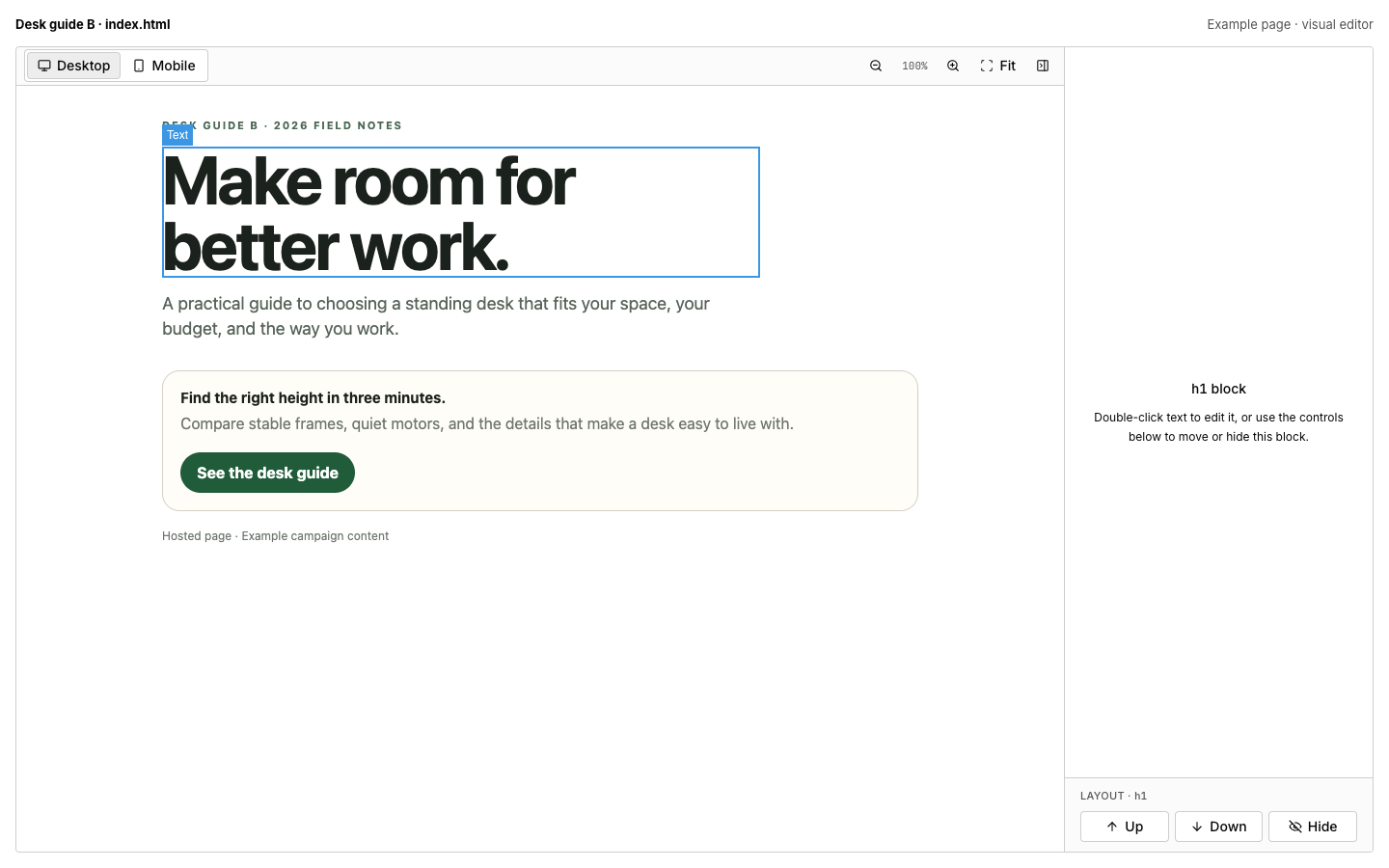
Example page in Tracked's visual editor. This is product UI, not a customer campaign or evidence of improved conversion rates.
A worked evaluation example
Illustrative only: the weights and payout below are invented to explain the workflow. This example was not executed as a new test and is not a customer result.
Suppose you own a hosted pre-sale page. Its main button uses /click/1. You assign two eligible offers to slot 1 with relative weights of 70 and 30.
| Step | Illustrative setup | Evidence you would inspect |
|---|---|---|
| Serve the page | Campaign route selects your hosted HTML page | Expected page, assets, and campaign context |
| Click the CTA | /click/1 selects from the slot-1 offer pool | Selected offer and newly generated offer-click ID |
| Pass the ID | Offer URL uses sub2={{click.id}} | Expanded ID in sub2, if the network accepts that field |
| Return the conversion | Network sends /postback?click_id=RETURNED_ID&payout=12 | Matching stored click and primary conversion revenue |
| Review and edit | Inspect campaign evidence, then open the hosted page | Intended event and journey; functioning links after an edit |
sub2 is an example network field, not a universal parameter. Replace RETURNED_ID with the network's actual callback macro. The untyped callback illustrates Tracked's primary offer conversion; explicitly typed callbacks are secondary funnel signals and do not inherit payout.
The source implementation parses numbered click slots, selects an eligible weighted offer, generates a click ID, and expands declared offer-URL macros. The inbound postback requires a known click ID. If the ID is missing or unknown, the request does not become an attributed conversion.
Inspect the actual path before increasing spend. A successful callback response alone does not prove correct event mapping or outbound traffic-source feedback.
Compare total operating cost, not one headline price
Request a quote or current pricing page for your expected volume. Record currency, billing cadence, annual commitment, included events, and overage treatment separately. Confirm whether the vendor counts visits, offer clicks, conversions, or several kinds of activity.
Add any external page hosting, domains, team access, and migration work. For self-hosted software, account for infrastructure and maintenance. Do not claim savings until both options cover the same requirements and volume.
See Tracked pricing for plan information. Confirm billing terms and availability for your account before budgeting. This guide does not treat provisional catalog prices as finalized payment offers or present a numerical price ranking.
Where Tracked fits—and where it does not
Consider Tracked when you want campaign tracking, hosted pages, weighted routing, postbacks, reports, and page editing in one workspace. It fits a buyer who owns the page and wants to work from campaign evidence back to a page change.
Do not choose it on assumed universal CAPI, automatic winner selection, or complete cross-device attribution. Those remain product directions in development, not demonstrated capabilities in this buying guide. Provider tokens and generic callbacks do not establish native integration parity.
If your buying decision depends on a particular provider, checkout platform, or identity workflow, require that exact setup to be confirmed. Referral commission administration is not the core use case covered here.
Turn your shortlist into a setup plan
For a new campaign, follow the affiliate campaign tracking setup.
If you are replacing an existing tracker, use the relevant guide:
Start with one campaign. Preserve the existing working route while you confirm the replacement page, offer ID, callback, and report. A software shortlist is not yet a migration plan.
Frequently asked questions
Is affiliate tracking software the same as SaaS referral management?
No. Referral management centers on partners and commissions. Paid-traffic tracking centers on ad clicks, pages, offers, postbacks, and campaign evidence.
Which affiliate tracker is best for media buyers?
There is no universal winner in this guide. Define your page ownership, providers, network callback, reporting needs, and volume first. Use the comparisons for a direct buying question and the alternatives guides for a broader shortlist.
Do I need to host my landing pages in the tracker?
No. Choose hosted mode for pages you own and edit, proxy mode for approved upstream content, or redirect mode for an external destination. Confirm the CTA and click-ID handoff for your chosen path.
Does a conversion postback automatically send a conversion to Meta?
No. Recording an affiliate conversion and delivering feedback to an ad platform are separate workflows. Confirm the supported provider, account setup, and event mapping; do not infer delivery from a successful inbound callback.
How should I evaluate a tool before scaling traffic?
Plan a fresh click through your intended campaign route and CTA. Inspect the outgoing ID, return a supported callback, and confirm the expected event and journey. Then check spend availability and any separately configured outbound feedback.
Start free with one campaign to evaluate the workflow. During early access, a valid invite is required to create an account. Use your invite, or select “Join the waitlist” on the signup screen to request access.