Landing-page hosting
Affiliate landing page hosting: HTML or ZIP pages on a custom domain
A practical Tracked workflow for packaging an HTML page, importing and publishing it, connecting DNS, routing offer clicks, and checking attribution before traffic.

For affiliate marketing, landing-page hosting is useful when the page, tracked offer action, and conversion path stay connected. Tracked imports an owned HTML or ZIP page, serves it from a connected domain, and keeps its offer clicks beside the campaign route, journey, and report.
This guide takes one static page from package to a testable campaign path. Use the hosted, proxy, and redirect comparison if you still need to choose a delivery mode.
Prepare an HTML or ZIP page
Start with a page you own or have permission to reuse. A small ZIP might look like this:
offer-page.zip
├── index.html
└── assets/
    ├── main.css
    └── hero.webp
Keep index.html at the package entry point. Use relative asset paths such as assets/main.css and assets/hero.webp, and check that file names match exactly. Review page copy, images, forms, scripts, disclosures, and external assets before importing. A ZIP or captured URL does not grant permission to reuse its contents; Tracked requires rights confirmation for a captured page.
Import, preview, and publish the page
Tracked’s current import limits are 250 files, 50 MB total, and 25 MB per file; the HTML entry has a separate 2 MB limit. Remove unused exports or oversized files before importing. Then:
- Upload the ZIP or HTML package into a reviewable draft.
- Preview at desktop and mobile widths. Confirm the entry page, styles, images, fonts, forms, and scripts load as intended.
- Keep privacy, terms, contact, and navigation links intact. Point only the offer action at the campaign’s tracked click slot, for example
/click/1. - Publish the reviewed folder. A campaign route needs a published folder with
index.htmlbefore you can select it as the destination.
The affiliate campaign setup guide walks through the route, offer, click ID, and callback setup. The example link path is a tracked offer action; it should not replace unrelated page links.
Connect the custom domain
In Tracked’s site setup, copy the CNAME record shown for your site. The current standard target is c.tracked.it, but the UI is the source to use if the implementation changes. The setup shows the record’s type, name, and target; keep your existing nameservers and add the displayed CNAME at your DNS provider.
Run Tracked’s domain verification and wait for the domain and HTTPS check to pass before using the custom domain in an ad. DNS providers handle apex domains and subdomains differently. Cloudflare’s CNAME flattening documentation describes one apex-domain approach and its verification caveats; follow your DNS provider’s instructions for the host you chose.
Route the campaign and check the handoff
Create the campaign route on the connected site and select the published folder. Replace the page’s main offer button with the route-relative click path for its Tracked offer slot. Add supported macros through Tracked’s macro picker when the page needs campaign or request values; preview the rendered page to catch unset tokens.
Use this illustrative check record for your own test:
| Check | What to record | Expected result |
|---|---|---|
| Site | The custom domain and campaign path you configured | Domain and HTTPS verification pass. |
| Page | The published folder selected for the route | index.html and referenced assets load. |
| Offer action | The button target, such as /click/1 | Tracked records the click and sends the configured offer URL. |
| Click ID | The value in the outgoing offer URL | The advertiser or network receives the Tracked ID in its chosen field. |
| Callback | The event returned for that test click | The journey and report show the intended campaign, page, offer, event, and payout where supplied. |
Run a new test click after the domain is verified. If the asset fails, fix the page package. If the offer URL drops the click ID, fix the offer mapping. If the callback does not appear, check the advertiser’s event and postback setup. Tracked currently records primary payout on an untyped callback; explicitly typed callbacks are secondary events with zero payout. The dynamic landing-page macro guide covers reusable page values; the postback URL guide covers callback checks.
Edit the hosted page after launch
When a report suggests a page change, open the hosted files in Tracked and make one focused edit in the visual editor, or prepare a draft with the built-in assistant. Review and preview the revision, then recheck the offer action and publish it. Keep the hypothesis and test window with your campaign notes so you can distinguish a page change from an offer or targeting change.
If you want to compare two versions before replacing the current page, follow the affiliate landing-page split-testing workflow and keep the offer and callback path consistent across both pages.
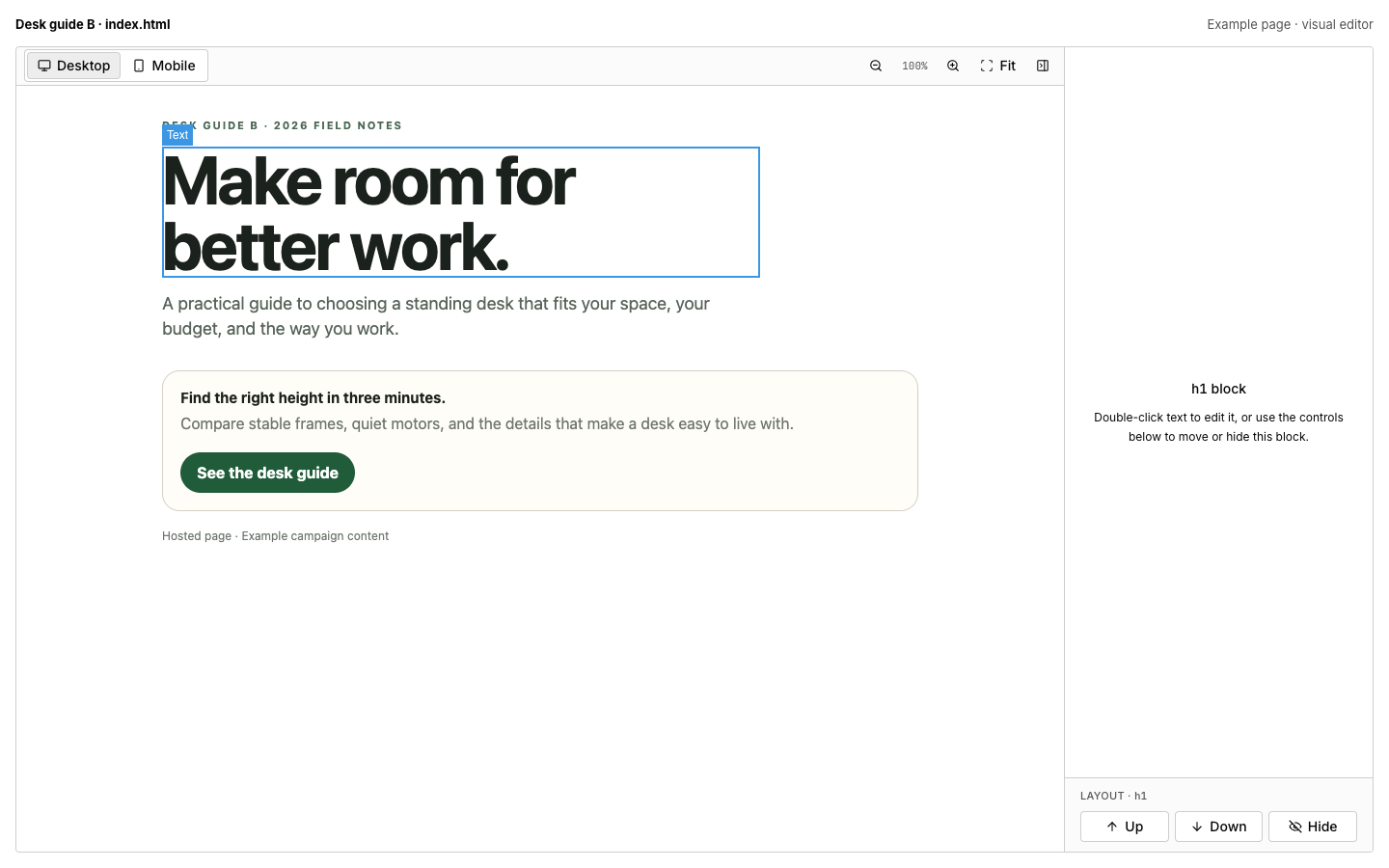
Tracked visual editor showing an example hosted page. The page content is sample content, not campaign-performance evidence.
Reports and journeys help inspect clicks, the selected offer, conversion events, payouts when supplied, and callback context. They show recorded activity; they do not establish that an edited page improved conversion rate.
Frequently asked questions
Can Tracked host a ZIP landing page?
Yes. Import an HTML entry and its supporting assets, review the draft, and publish the folder with index.html before selecting it for a campaign route.
Which CNAME target should I use?
Copy the target displayed for your site in Tracked. The current standard target is c.tracked.it; use the setup screen if it changes.
Does domain verification mean the page is ready for traffic?
It confirms the domain and HTTPS check. You still need to test the hosted assets, form, tracked offer action, click ID, callback, and report on the campaign route.
Can I use macros in hosted page HTML?
Yes. Tracked’s macro picker supports inserting macros into URLs, rules, and HTML content. Preview the page and inspect the outgoing request to confirm each value resolved.
Can I edit a hosted page after a campaign test?
Yes. Preview the revision, recheck tracked links, and publish it when reviewed. Compare the result over a defined test window; editing alone does not prove a performance improvement.